Crossbar
- 4.7
- Rating
- 100.00K
- Installs
- Free
- Price

 Analysis by App-foxy
Keeping youth sports organized is rarely difficult because of one big task. The trouble comes from the small ones: remembering which field a child is playing at, checking whether a schedule changed, finding the right team contact, and keeping several family calendars from drifting apart. After spending time with Crossbar, I found that its main value is bringing those sports-related details into one place instead of making parents search through scattered messages and notes.
Crossbar is a free sports app from Crossbar, aimed at the everyday organization around youth teams and clubs. It is not trying to replace the excitement of the game or act as a general-purpose family planner. Its useful role is narrower and more practical: it gives players, parents, coaches, and team organizers a shared point of reference for the season. That focus is also its defining limitation, because the experience depends heavily on whether a child’s team or organization actually uses Crossbar consistently.
What using Crossbar feels like during a busy sports week
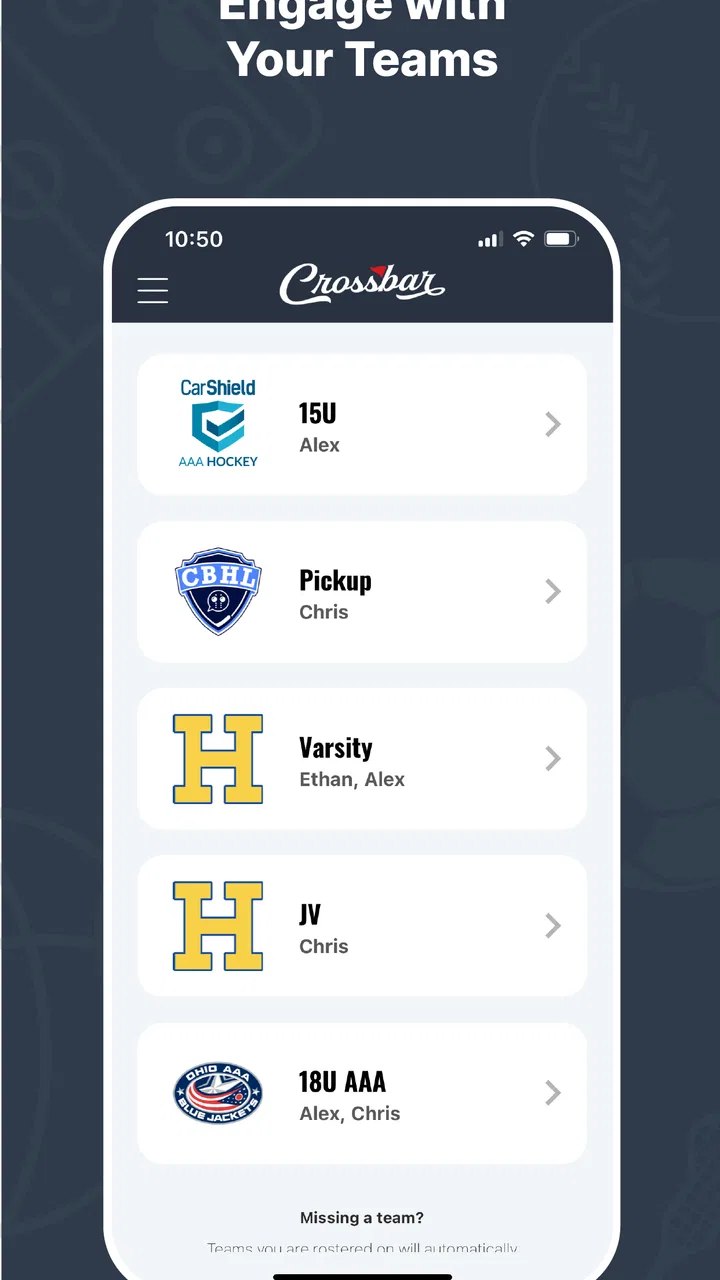
The first thing I noticed is that Crossbar makes more sense when viewed as a team communication and scheduling hub rather than as a standalone sports tracker. A parent opening it is usually looking for a concrete answer: when is the next practice, where is the match, what has changed, or how can I stay connected to the team? The app’s purpose is strongest when those answers are maintained in one shared space.
You May Also Like

 Blood Strike: 2.5 Anniversary
Blood Strike’s Loadouts Turn Every Drop Into a Tactical Gamble
A close look at Blood Strike’s custom loadouts: how fast access to signature weapons reshapes its battle royale rhythm, rewards preparation, and narrows the gap between fights.

 Pandora - Music & Podcasts
Pandora’s Music Is Easy to Start, but Harder to Recover
Pandora’s strength is its low-effort path from a seed to a station. Its weak spot is how much confidence it asks you to place in connection, setup, and quiet recovery.

 8 Ball Pool
 Is Built on Rivalries, Rematches, and Routine
A close look at the rivalries, rematches, shared routines, and unanswered safety questions that turn a quick pool match into a persistent mobile community.

 Samsung Music
’s Quiet Strength Is Playing What You Already Own
Its reach comes less from spectacle than from dependable access to a personal library. That simplicity is both the app’s strongest retention engine and its ceiling.

 AccuWeather: Weather Radar
AccuWeather Review: A Quick, Clear Forecast for Everyday Decisions
For everyday plans, the best forecast is the one you can understand quickly. AccuWeather makes rain timing, radar, and local conditions easy to act on, with a few trade-offs.

 Hill Climb Racing
Why Hill Climb Racing Still Turns Crashes Into One More Run
A tiny car, a bumpy hill and one more upgrade: Hill Climb Racing keeps resurfacing because its simple chaos makes every near-miss feel personal.
More From Our News Desk
View All News


That distinction matters because many families already have familiar alternatives. They may use a phone calendar for events, group chats for updates, email for longer messages, and a notes app for contact details. Those tools are flexible, but they also split the information across several places. Crossbar’s appeal is the possibility of keeping the sports season together, so the team context remains attached to the schedule and communication instead of being reconstructed manually.
I would not describe it as a complicated app. That is a compliment for its audience. Parents often check sports information while driving children between school, work, and practice, so an uncluttered route to the next relevant detail is more valuable than a long list of advanced options. The app is built around the practical rhythm of a season, where the same kinds of information are checked repeatedly.
A realistic example is a family with two children playing on different teams. One child has an evening practice, while the other has an away game at the weekend. Without a team-focused app, the parent may copy both events into a personal calendar, search a message thread for the location, and ask another parent whether a time changed. Crossbar can reduce that repeated searching by keeping the sports information connected to the relevant team context. The benefit is not dramatic in one tap; it becomes noticeable after many weeks of small checks.
The app has earned a 4.7 average from around 4.3 thousand ratings, and it has passed 100 thousand installs. Those figures do not prove that it will suit every club, but they do suggest that the basic problem it addresses is familiar to a substantial number of sports families. I also appreciate that it is free and rated for Everyone, which removes two common barriers when a whole team needs to use the same service.
The strongest reason to use it is shared context
My strongest positive impression is that Crossbar can make team information easier to follow than a stream of unrelated messages. In a group chat, an important update can disappear beneath casual conversation. In a general calendar, an event may show a time and place but not the team relationship or the surrounding sports details. A dedicated sports environment has a better chance of keeping those pieces associated.
This is especially helpful for people who are not the primary organizer. Coaches and administrators may know the season structure naturally, while parents often need quick reminders. A parent joining midway through a season, helping with transportation, or covering for another caregiver benefits from having the team’s information presented in a recognizable place rather than relying on personal explanations.
Another useful point is accountability. When information is shared through the team’s chosen system, families have a clearer place to check before asking the same question again. That does not eliminate communication problems, because someone still has to update the information, but it can reduce the familiar cycle of “Did anyone hear whether practice is still on?” The app works best when the organization treats it as the official source instead of using it as one more channel alongside several competing ones.
I also see value for households that do not want every sports conversation mixed into a personal messaging app. Group chats are quick, but they can become noisy, and not every parent wants to keep notifications from a team conversation active all day. A dedicated app gives sports information its own boundary. That separation is a small but meaningful advantage for families managing work messages, school notices, and several activities at once.
For coaches, the attraction is not simply sending announcements. A shared system can make routine information easier for families to locate later. A message posted in a chat may be read and forgotten, while a schedule-oriented service encourages people to return to the same place when planning the week. I would still advise coaches to communicate clearly and not assume that every parent checks the app at the same time, but the structure is more suitable for recurring team organization than an improvised message thread.
Three practical habits that make the app more useful
The first habit I recommend is treating Crossbar as the first place to check, not the last place to duplicate information. If a family copies every event into another calendar immediately, the second calendar can become the real source of truth while Crossbar becomes an archive. That is risky when times or locations change. I would use a personal calendar for major family conflicts, but return to the team app before leaving for practice or a game.
The second is to separate “what is scheduled” from “what needs attention.” A parent can look at the upcoming sports commitments during weekly planning, then use team communication for changes or questions. This simple distinction prevents the app from becoming another endless feed. It also helps families decide when a notification deserves action and when it can wait until the next planning check.
The third is useful for shared caregiving. If grandparents, relatives, or another parent regularly handle transportation, they should know where the team’s current information lives rather than receiving a chain of forwarded screenshots. That reduces stale details and makes handoffs easier. The trade-off is that every caregiver must be comfortable accessing the same service, so the benefit grows with consistent adoption.
These are not flashy tricks, but they reflect how the app is most likely to help in real life. Crossbar is valuable when it becomes part of a repeatable family routine. It is less valuable if nobody knows whether the app, a text message, an email, or a separate calendar contains the latest update.
The meaningful weakness is dependence on organization-wide consistency
The biggest weakness is not something the app can solve on its own: a team platform only works well when the team uses it reliably. If a coach posts schedule changes in a chat, an administrator updates one system late, and parents receive occasional emails, Crossbar may add another place to monitor instead of simplifying anything. In that situation, the problem is not the idea of the app; it is the lack of a clear communication policy around it.
This makes the onboarding question more important than it might first appear. Before committing to Crossbar, I would ask the club whether the whole team uses it, who maintains schedules, and where last-minute changes are announced. I would also check whether all the teams in a family are supported through the same organization. If one child’s team uses the app and another relies on a different service, the household may still need several systems.
There is also a natural limit to a focused sports app. Crossbar is not a replacement for a full family calendar, a general messaging platform, or a detailed task manager. A parent who wants one place for school deadlines, medical appointments, work shifts, household chores, and sports may prefer a broader planning tool. Crossbar can organize the sports slice of life well, but it should not be judged as though it were designed to manage everything.
Another point worth considering is notification discipline. Any team app can become distracting if every minor update produces an interruption, particularly during a long season. I would review notification settings early and decide which information needs immediate attention. If the app does not give a family enough control for its preferred communication style, a general calendar or a carefully managed team email may feel calmer.
Families should also think about access across different levels of technical comfort. Younger players may be comfortable checking an app, while a grandparent or occasional driver may prefer a simple written schedule. The most practical approach is to make Crossbar the current reference and share only the necessary details with people who do not use it regularly. That avoids expecting every caregiver to learn the entire team workflow.
Who will get the most from Crossbar?
I think Crossbar is a strong fit for parents managing one or more youth sports commitments, especially when the club has clearly adopted it for schedules and communication. It is also useful for families who are tired of searching through message threads and want sports information kept apart from personal conversations. The free price makes it easier for a whole group to participate, and the Everyone age rating suits a mixed family environment.
It should appeal to coaches and team volunteers who need a shared destination for routine season information. The main gain is organizational clarity, not entertainment. Someone looking for live scores, training analysis, fitness tracking, or a game-like sports experience should look elsewhere. This is a coordination tool, and its success should be measured by fewer missed details rather than by how much time it keeps someone inside the app.
I would be more cautious about recommending it to a family whose club has no agreed process. If the organization is already committed to another platform and rarely updates Crossbar, installing it may create uncertainty. In that case, the established system is probably the better choice, even if it is less elegant, because a dependable imperfect channel is better than a polished channel nobody maintains.
It may also be the wrong choice for a single child with very few activities and a parent who already has a reliable calendar workflow. Adding a dedicated service can feel unnecessary when the organizational problem is small. Crossbar becomes more compelling as the number of teams, caregivers, practices, and schedule changes increases.
Compatibility, cost, and the everyday commitment
On Android, the app supports devices running Android 7.0 or later, and its current version is 48. That gives it a practical reach across many phones, including some older devices, although individual performance will naturally depend on the phone and its software condition. I like that the technical entry point is not limited to only recent hardware.
There is no purchase decision to weigh because Crossbar is free. The more important cost is attention: a family has to remember to check it and an organization has to keep its information current. That is why I would evaluate the club’s habits before evaluating the interface. A free app that is ignored is less useful than a basic paid or built-in tool that everyone follows.
The app was released on April 1, 2020, and its continued presence alongside the current version indicates that it is not simply a short-lived experiment. Still, I would avoid choosing any team platform based only on age or update number. The real test is whether the information you need appears there promptly and whether the people responsible for the team use it consistently.
My final verdict for sports families
Crossbar succeeds because it concentrates on an unglamorous but genuinely stressful part of youth sports: keeping families aligned. In my experience, its best feature is not a single clever screen. It is the idea that schedules, team context, and communication should be easier to find than they are in scattered chats and personal notes. When a club commits to that idea, the app can remove a surprising amount of weekly friction.
Its weakness is equally clear. It cannot create reliable organization where the team has not agreed on one source of information. Families may still need a personal calendar, and they should not assume that installing the app automatically guarantees timely updates. The right expectation is that Crossbar can support a good team workflow; it cannot replace one.
I would recommend it to parents, coaches, and caregivers involved in active youth sports programs that already use Crossbar as their shared home. I would skip it if your organization has chosen another platform or if you need a complete household planner rather than a sports-focused service. For the right audience, the real advantage is fewer small decisions and fewer searches during an already crowded week. That is a modest promise, but it is exactly the kind of practical improvement that makes a free app worth keeping.
Overall, Crossbar is a sensible sports organizer with a clear audience and a useful role. It will not replace every tool a family uses, and it is only as current as the people maintaining the team information. But when the club and its families use it consistently, I can see it becoming the dependable place to check before practice, before a game, and before asking a question that may already have an answer.
FAQs for Crossbar
01What is Crossbar and what can I use it for?
Crossbar is an app designed to help users connect, communicate, and manage interactions through a streamlined digital platform. Depending on the version and available features, it may be used for discovering content, joining communities, sharing information, or coordinating activities. Before downloading, check the current store description because features and supported services can vary by region and app update.
02Is Crossbar free to download and use?
Crossbar may be available as a free download, but some functions can require in-app purchases, a subscription, or access through an organization or service provider. During testing, it is important to review the pricing details shown on the Google Play Store or Apple App Store before creating an account. Also check whether subscriptions renew automatically and how cancellation is handled.
03Does Crossbar require an account or personal information?
Many of Crossbar’s main features may require users to register with an email address, phone number, or other account details. Depending on how the app works, it could also request permission to access notifications, contacts, location, camera, or storage. We recommend reviewing the privacy policy and permission prompts carefully, allowing only access that is necessary for the features you plan to use.
04Is Crossbar available for both Android and iPhone?
Crossbar’s availability depends on the developer and the market where you live. Check the official Google Play Store listing for Android devices and the Apple App Store listing for iPhone or iPad before downloading. Pay attention to minimum operating-system requirements, because older phones may not support the latest version or may experience reduced performance and missing features.
05Is Crossbar safe and reliable to use?
Crossbar should be downloaded only from an official app store or a verified developer link to reduce the risk of installing an altered or unsafe version. Before using it, review recent user ratings, update history, privacy information, and requested permissions. As with any online service, avoid sharing sensitive information unnecessarily and use a strong, unique password if account registration is required.
Pros
- Simple interface makes browsing and managing content easy.
- Useful cross-platform access keeps information available on the go.
- Fast loading times provide a smooth experience on most devices.
- Clear navigation helps new users understand the app quickly.
- Regular updates can improve stability and add useful refinements.
Cons
- Some features may require an account or personal information.
- The app can feel limited for users seeking advanced customization.
- Performance may vary on older Android and iOS devices.
- Notifications could become distracting if not adjusted in settings.
- Availability of certain content or features may depend on location.

Crossbar
Gallery